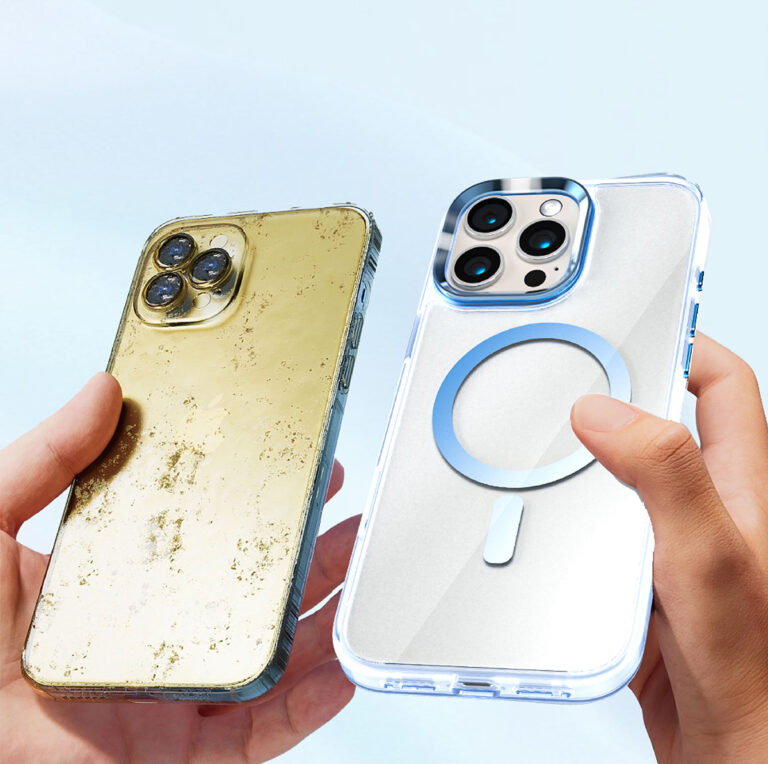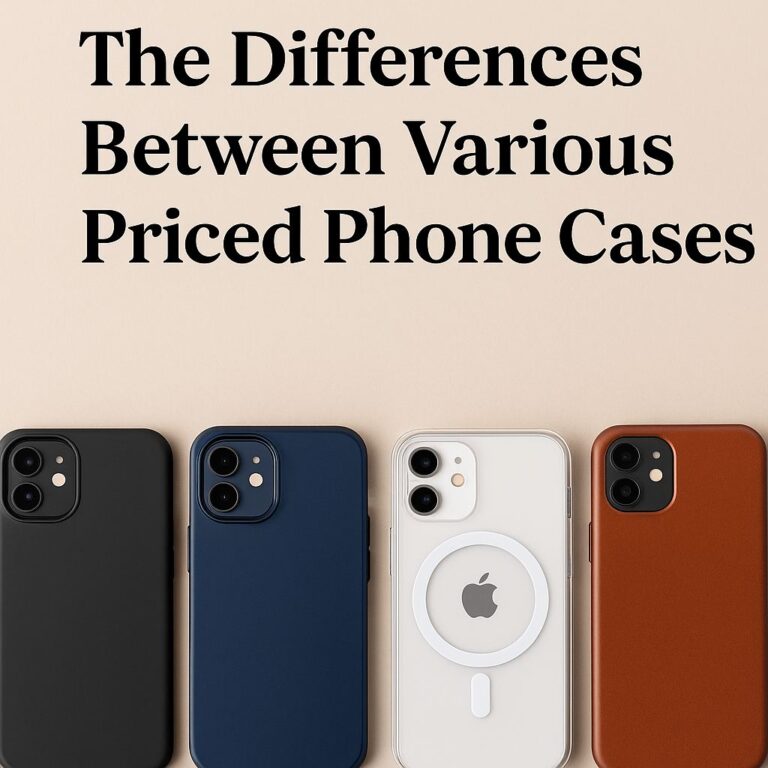
Magnetic phone cases use a built-in magnet ring to snap your phone into perfect alignment with chargers, wallets, mounts, and battery packs. When they’re made well and used correctly, they make daily carry simpler without sacrificing charging speed or safety.
What Are Magnetic Phone Cases And How Do They Work?
Magnetic phone cases embed a ring (sometimes two) of permanent magnets around the spot where your phone’s wireless-charging coil sits. That ring makes accessories “lock in” so alignment is repeatable. Better alignment means the charger wastes less energy and your phone spends less time hunting for the sweet spot.
Magnetic Module And Ring Layout
A typical layout places a circular ring around the coil and an extra “bar” magnet below it to prevent accessories from rotating. Apple popularized this layout for MagSafe; Qi2 (the open standard) adopted similar magnetic alignment so iPhone and many Android accessories can share the same ecosystem. Qi2 (Qi v2.0) standardizes magnetic alignment and supports up to 15W at launch.
Materials And Build Quality
Case shells are usually TPU, polycarbonate, or blends. Look for cleanly glued or over-molded magnet modules; loose modules squeak, shift, and weaken hold. A good case adds raised lips around the glass and camera and uses drop-tested corners so you don’t give up protection to get magnets. If you want a rigid hybrid shell that keeps the magnet ring perfectly aligned, consider Runsuncase: its MagSafe cases use a TPU + PC blend with raised lips and reinforced corners, balancing latch strength and everyday protection.
Device And Accessory Compatibility
iPhones from the MagSafe era work out of the box. Many recent Android models add Qi2 or “MagSafe-style” rings via cases so they align to the same chargers and mounts. If your Android phone is “Qi2 Ready,” you’ll get the full benefit only while the magnetic case is on.
Magnet Grade And Pull-Force Metrics
Brands rarely list magnet grade (N52, etc.), but they’ll quote hold force. Treat high numbers with caution—hold depends on ring geometry, steel in the accessory, and case thickness. Trust real-world signals: does the wallet stay on when you flick the phone? Does the car mount hold on to potholes?
Think of the magnet ring as a precision alignment tool. When the ring is accurate and the case is rigid, everything—from charging to wallets—just works.
Are Magnetic Phone Cases Safe For My Phone And Cards?
Magnets aren’t new in phones. That said, you should know the handful of situations where extra care matters.
MagSafe And Qi2 Standards
MagSafe and Qi2 define how magnets align the coil and how much power a certified charger can deliver. Apple’s support docs specify MagSafe wireless fast charging up to 15W on iPhone 15 and earlier; iPhone 16 and later support wireless fast charging with MagSafe when paired with higher-wattage USB-C adapters (Apple lists required adapters rather than a specific MagSafe wattage). Qi2 (Qi v2.0) formalizes magnetic alignment and supports up to 15W initially. Use certified gear for predictable results.
Card Demagnetization And RFID Considerations
Magnetic stripes are old tech and can be harmed by strong magnets with prolonged close contact. EMV chips and contactless (NFC) aren’t affected by magnets the same way. Apple warns not to place credit cards, key fobs, passports, or IDs between the phone and MagSafe charger—the field and heat can damage stripes or RFID chips. Keep cards in a proper MagSafe wallet and remove them before charging.
Heat Management And Battery Health
Wireless charging creates heat; the iPhone may temporarily slow or pause charging if the device gets too warm. That’s normal and protects battery life. If your case is very thick or you’re charging under a pillow or in a hot car, expect the phone to throttle or pause. Move to a cooler spot and use a certified adapter.
Camera And Sensor Interference
Magnets can interfere with some sensors at very close range. Most concerns center on implanted medical devices like pacemakers or defibrillators: Apple recommends keeping phones and wireless chargers at least 6 in / 15 cm away, and 12 in / 30 cm while charging. If you or someone in your household relies on a cardiac device, follow your clinician’s guidance.
Use certified chargers, keep sensitive cards out of the area between the phone and charger, mind heat, and respect the medical-device distance guidance. Do that, and magnetic cases are a safe, practical choice.
Do Magnetic Phone Cases Affect Wireless Charging And Signal?
A good magnetic case helps wireless charging by fixing alignment. The wrong case can slow it down.
Wireless Charging Compatibility
MagSafe-compatible cases are tuned for Apple’s charger; Qi2 brings similar alignment and power delivery to the wider market. Non-MagSafe cases may still pass some power, but expect lower wattage and a weaker latch because the coil and magnet ring aren’t perfectly aligned. Sticking with a clearly labeled MagSafe-compatible case also helps charging stay fast and cool; for example, Runsuncase’s magnetic leather line lists MagSafe support and is designed to maintain alignment under daily use.
Fast-Charge Efficiency And Alignment
Magnetic alignment cuts misalignment losses—the main reason pads feel “hit or miss.” With supported phones and the right adapter, MagSafe can deliver up to 15W peak power; with older Qi pads or misaligned coils, you’ll see slower, warmer charging. If your phone pauses at 80% on a hot day, that’s thermal protection doing its job.
NFC, GPS, And 5G Signal Considerations
Magnets don’t block radio waves, but metal and foil shields in some cases can. Avoid cases with large steel plates not designed for MagSafe/Qi2. Tap-to-pay (NFC) lives near the top of most phones; thick wallets stacked on the back can make taps awkward, not because of magnets, but because you’re physically farther from the reader.
Case Thickness And Coil Positioning
Every extra millimeter between the coil and charger weakens the field and reduces power. Wallet-style folios and battery-on-case stacks add distance and heat. If you need max speed, go slim and skip stacking while charging. Apple’s guidance: use the right-wattage adapter, keep metal away from the pad, and let the system manage heat.
The case helps or hurts based on alignment and thickness. Choose a MagSafe/Qi2-ready case and a proper adapter; avoid thick stacks while charging for the fastest, coolest results.
How Do I Choose The Right Magnetic Phone Cases?
Start with your phone model and where you’ll use it—desk, car, gym, trail—and work backward to the case features that matter.
Drop Ratings And Certifications
Check for tested drop heights (e.g., MIL-STD style claims) and look for real design cues: raised camera ring, raised screen lip, and reinforced corners. No case can promise zero damage, but these basics cut risk without adding much bulk.
Materials And Structure (TPU/PC/Silicone)
TPU absorbs shock, PC adds rigidity, and silicone improves grip. Hybrid frames (PC backbone with TPU edges) keep magnets from flexing away from the phone under torque—useful for car mounts and heavy MagSafe batteries.
Weight, Thickness, And Grip
Magnets tempt you to hang the phone off mounts and power banks, so grip matters. Look for micro-texture sides, flat edges, or ridged rails. Keep thickness honest: more than you need will slow charging and trap heat.
Accessory Ecosystem (Wallets/Mounts/Car/Power)
Plan your stack. If you drive a lot, pick a case that pairs well with a vent or dash mount. If you tap-to-pay daily, choose a slim wallet you can remove before charging. For travel, a MagSafe/Qi2 battery with a solid latch is worth the weight. Qi2 aims to make cross-brand accessories easier to mix and match. Matching your case and add-ons from the same maker can improve latch consistency and reduce wobble; Runsuncase offers magnetic card holders and phone magnetic stands that pair cleanly with its cases for travel, desk, and in-car setups.
Price, Warranty, And Sustainability
Magnets add cost. Balance price against warranty support and replaceable parts (e.g., swappable buttons). Some brands publish recycled content or offer take-back programs; that’s a plus if you upgrade often.
Match the case to your real routine—not a spec sheet. Prioritize certified alignment, solid protection, and the accessories you’ll actually use, then keep bulk in check so charging stays fast and cool.
Frequently Asked Questions
Q1: Are Magnetic Phone Cases Safe Around Pacemakers Or Cochlear Implants?
Magnets and wireless chargers can interfere with implanted medical devices if they’re too close. Apple’s guidance is clear: keep phones and accessories at least 6 inches (15 cm) from a medical device, and 12 inches (30 cm) while charging. If you have a pacemaker, ICD, or cochlear implant, ask your clinician and the device maker for written distance and usage rules. If you ever feel symptoms (dizziness, rapid heartbeat), move the phone away and get checked. Safety beats convenience every time.
Q2: Do Magnetic Phone Cases Erase Credit Cards Or Hotel Keys?
Modern chip-and-tap cards don’t care about magnets, but magnetic stripes can be damaged by strong fields during prolonged close contact. The simple rule: don’t sandwich a card between your phone and a MagSafe/Qi2 charger, and remove your wallet before charging. A purpose-built MagSafe wallet isolates cards better than sticking cards loose inside a flap case. When you travel, keep spare hotel keys away from the charger pocket just in case.
Q3: Will A Magnetic Case Make Charging Faster On Android?
Only if your phone and charger speak the same standard, a magnetic ring by itself doesn’t add watts; it adds alignment. If your Android is Qi2 (or “Qi2 Ready” with a certified case) and your charger is Qi2-certified, alignment lets the system deliver higher power more efficiently. On older Qi pads or with non-Qi2 phones, you’ll still charge—but usually slower. Check your phone’s spec sheet and your charger’s certification before you buy.
Conclusion
Pick a Magnetic Phone Case that’s certified, aligns cleanly, and fits your real life—your mounts, your wallet, your charger. Keep cards out while charging, mind heat, and follow medical-device distances. Ready? Choose your case, pair the right charger, and make your daily carry snap into place. Ready to switch? Check Runsuncase’s magnetic phone case lineup and pick a case-and-wallet combo that fits your routine and charging gear. (See the magnetic collection for current models.)