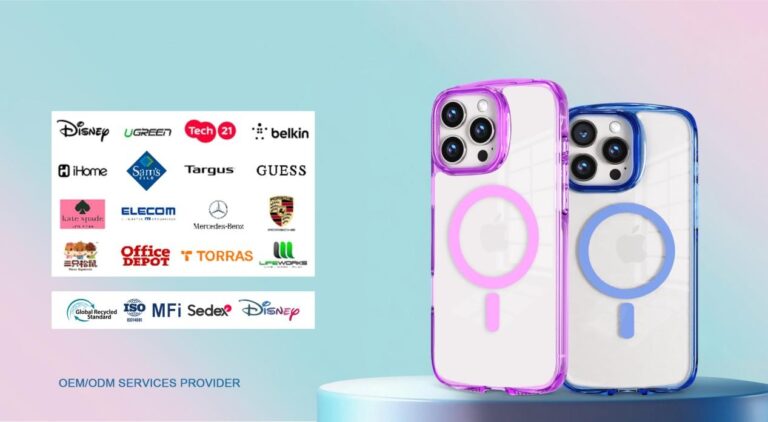
Most thin, non-metal phone cases work well with modern Qi/Qi2 and MagSafe wireless chargers. Very thick cases, metal plates/rings, battery cases without passthrough, and bulky wallet folios are the usual troublemakers. Qi2 and MagSafe rings help the charger line up, but you still want a slim, case-friendly setup.
Which Phone Cases Support Wireless Charging?
If you stick to a thin case with no metal inside, you’ll be fine on almost every Qi or Qi2 pad and on MagSafe. Here’s how to sanity-check your case before you buy.
Thickness Limit
Most consumer chargers are built to push power across a few millimeters of plastic or silicone. Thicker shells make the coil gap bigger and raise heat, so charge speed drops or stops. When in doubt, pick “wireless-charging compatible” cases from known brands and avoid bulky bumpers.
Qi/Qi2 And MagSafe Standards
Qi (the common standard) charges by inductive coils. Qi2 adds a magnetic alignment ring (Magnetic Power Profile) so your phone snaps into the sweet spot—fewer misalignments, less heat, more consistent speeds. MagSafe (on iPhone) also uses a ring of magnets around the coil; a MagSafe-compatible case keeps that alignment intact.
Coil Alignment Requirements
Charging fails most often because the coils aren’t centered. Thin cases and magnet rings (MagSafe/Qi2) help the phone sit correctly. If your pad seems picky, rotate the phone or try a stand-style charger that “locks” the height.
Commonly Compatible Phone Cases
- Slim TPU/Silicone Cases: Flexible, grippy, and usually thin enough to be a non-issue.
- Slim Polycarbonate (PC) Hardshells: Tougher shells charge fine if they’re not overly thick.
- MagSafe-Compatible Cases (for iPhone): Include the magnet ring for easy alignment.
Cases That Often Cause Problems
- Metal-Back Cases / Cases With Steel Plates: Metal soaks up the magnetic field and can stop charging or overheat. Apple and Google both advise removing metallic or magnetic cases before wireless charging.
- Battery Cases Without Pass-Through Wireless: If the case isn’t designed for pass-through, it blocks the charger.
- Bulky Wallet/Folio Cases: Thick stacks of cards add distance and can include metal shields.
Pick a thin, non-metal case and, on iPhone, consider MagSafe. On any phone, Qi2-ready gear improves alignment and reliability. Real-world example: runsuncase’s slim TPU/PC cases for recent iPhone/Samsung models are labeled “wireless-charging compatible,” avoiding hidden metal and extra bulk that can slow Qi/Qi2.
How Do Phone Case Materials Affect Wireless Charging?
Material matters because different stuff interacts with the charging field (and heat) in different ways.
Common Materials Overview
TPU / Silicone / Polycarbonate: Non-metallic plastics are the safest bet. They don’t block the field and usually stay cool enough.
Leather / Fabric: Also non-metallic; they work, but very thick or padded options can slow charging.
Aramid / “Carbon-Fiber Look”: True conductive carbon fiber can be problematic; many “carbon-look” cases are just printed PC and are fine. Check the product details.
Materials To Avoid Or Use With Caution
Metal Plates & Rings: Any ferromagnetic plate (for car mounts) between the phone and coil is bad news—remove it or choose a MagSafe/Qi2 mount that puts magnets outside the coil path. Apple and Google warn against metallic or magnetic cases during wireless charging.
Strong Magnetic Mount Hardware: Big magnets can offset alignment or trigger the charger’s safety cut-offs. Prefer Qi2/MagSafe-certified mounts designed for through-case charging.
Glitter Liquid Cases: Pretty, but the liquid pocket and inserts add thickness and trap heat—charge will be slower or flaky.
Heat And Efficiency Factors
Heat Buildup Management: Wireless charging produces waste heat. Thick/insulating cases trap it, so your phone throttles charging to protect the battery.
Power / Efficiency Trade-Off: More wattage helps, but only if the coils align. Qi2/MagSafe alignment can give you faster, steadier charging at the same posted wattage versus a misaligned pad.
Charger Power Matching: Use a reputable, case-friendly charger and the right power brick. Under-sized adapters hold speeds back regardless of your case.
Go non-metal and not too thick. If you want the smoothest experience, pair a Qi2/MagSafe case with a Qi2/MagSafe charger for precise alignment.
Do Magnetic Phone Cases (MagSafe/Magnetic Ring) Work With Wireless Charging?
Yes—that’s the point. Magnet rings are there to help the coils meet every time. Just be mindful of add-ons. For a real-world example, runsuncase’s IML iPhone 17 cases are listed as “fully MagSafe compatible,” so wireless charging and magnetic accessories work as expected.
MagSafe Basics
Magnetic Alignment Ring: Centers your iPhone on the charging coil for reliable contact.
Compatibility With Qi2: Qi2 brings the same idea—a standard magnetic ring (Magnetic Power Profile)—to a wider ecosystem beyond MagSafe.
Official Vs Third-Party: Look for MagSafe (Apple) or Qi2 (WPC) language from reputable brands to avoid weak magnets or poor tolerances.
Possible Magnet Impacts
Thick Steel Plates For Car Mounts: If the plate sits over the coil area, it can block charging or heat up.
Wallet Attachments: Stacked cards add thickness and can contain shields; remove wallets while charging (Apple safety guidance).
Coil Location Interference: Some phones place coils higher or lower; a mis-positioned third-party ring can hurt alignment instead of helping.
Best Practices
Use Certified Magnetic Accessories: Qi2/MagSafe-ready gear is tested to play nice with magnets and coils.
Remove Add-Ons While Charging: Wallets, metal plates, and ring grips can break the link—take them off for a clean connection.
Check the Case Maker’s Notes: Good brands state “wireless charging works” and call out any limitations.
Magnetic cases are great when the magnets are part of a Qi2/MagSafe-compatible system and you remove bulky add-ons during charging.
Which Phone Cases Work Best For Different Scenarios?
Match your case style to how—and where—you charge. Here are sensible picks that keep wireless charging easy.
Daily Lightweight Use
Ultra-Thin Drop Cases: Enough edge protection without extra thickness.
Anti-Yellow Clear Cases: Pick reputable TPU/PC blends; they stay slimmer longer.
Grippy Soft-Touch Finishes: Keep the phone from sliding off flat pads or stands.
Runsuncase Ultra-Thin MagSafe (iPhone): Slim, ring-equipped shells that align instantly on MagSafe/Qi2 stands and pads, keeping charge speeds consistent without extra bulk.
Outdoor / Protection Needs
Light Rugged, MIL-STD Drop Cases: Choose “wireless-charge compatible” models—many rugged shells are now optimized for pads.
MagSafe-Compatible Protective Cases: On iPhone, you can still snap to magnetic stands, car mounts, and chargers.
Lanyard/Strap-Ready Designs: Avoid metal grommets directly behind the coil; pick side-mounted anchors.
Commute / Travel
Detachable Wallet Backs: Pop the wallet off for charging; snap it back on when you leave.
Kickstand (Portrait/Landscape): Metal-free or ring-away from the coil zone; stand-style chargers love these.
Heat-Dissipating Backs: Perforations or channels help in hot cars and long charges.
If you plan to charge on pads and stands all day, go slim, non-metal, and case-friendly—and consider MagSafe/Qi2 when magnets make life easier.
FAQ
Q1. Will Qi2 Chargers Really Work Better With Phone Cases Than Older Qi Pads?
Often, yes. Qi2 adds a standardized magnetic ring so the phone snaps into the charging “sweet spot,” which means fewer misalignments, less waste heat, and more consistent speed—especially through thin cases. Older flat pads depend on you placing the phone by feel, which is easy to miss with a case. The usual caveats still apply: keep the case non-metal and not overly thick, and use a quality power brick that meets the charger’s input needs.
Q2. Can I Wirelessly Charge With A Metal Ring, Pop Grip, Or Magnetic Plate On My Phone Case?
Not reliably. Metal between the coils absorbs energy and can cause heat or outright failure. Even non-metal grips can shift alignment. If you love a grip or mount, pick MagSafe/Qi2-compatible accessories designed to sit outside the coil path, or remove them while charging. Apple and Google both advise taking off metallic or magnetic cases/attachments before wireless charging—good advice if your setup acts finicky.
Q3. Do Wallet Cases Or Credit Cards Get Damaged By Wireless Charging?
Cards themselves aren’t the target of the charger, but thick wallets increase distance, and some have metal shields that block the field. Many MagSafe wallets are made to detach—pop them off to charge. Keeping cards against the charging zone also invites heat exposure, which isn’t great for magnetic stripes. Best practice: remove the wallet, charge first, then reattach; that preserves charging speed and avoids avoidable card wear.
Conclusion
Want hassle-free wireless charging? Choose a thin, non-metal phone case, pair it with Qi2/MagSafe-ready gear, and keep add-ons off while charging. Your phone—and your patience—will thank you. Ready to switch? Try a slim, MagSafe-friendly case from runsuncase to keep wireless charging fast, consistent, and pocket-friendly.