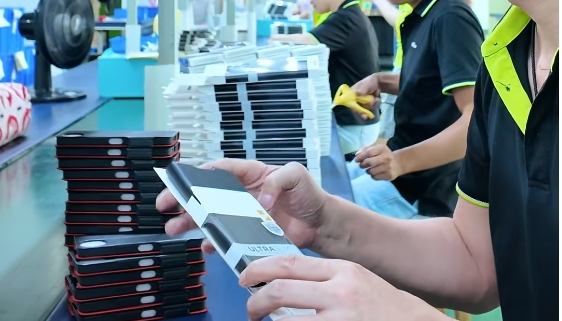
“MagSafe-compatible” doesn’t tell a factory what to build. Before you brief iPhone case manufacturers, name each target phone model and the chargers and accessories the case has to work with. Then write separate expectations for magnetic attachment, charging, and accessory use.

Agree with the manufacturer on how each expectation will be checked on a sample. Keep the final claim to the configurations you actually evaluated. A label that passes one setup only covers that setup.
Set the Exact Compatibility Scope in the RFQ
Your RFQ should list every configuration the compatibility claim has to cover. Name the exact iPhone model or generation, such as iPhone 17 Pro or iPhone 18 Pro Max. “Latest iPhones” is too vague for a phone case manufacturer to build or test against.
For each phone model, record three things:
-
Phone: the exact model or generation the case is made for.
-
Charging setup: the charger you plan to use and, where it matters, the power adapter.
-
Accessories: each magnetic accessory or combination the case must work with, such as a wallet, stand, mount, or battery pack.
Model scope matters because even Apple’s guidance is model-specific. Apple says that on supported models, MagSafe chargers snap to a case on supported iPhones when that case is a MagSafe case or sleeve. That describes Apple’s own products. It doesn’t validate a third-party case you source, so your RFQ needs its own list of configurations.
Keep the claim limited to what you list. If a model or accessory isn’t on the list, the manufacturer hasn’t agreed to support it, and you shouldn’t market it as supported.
Write Separate Pass Criteria for Attachment, Charging, and Accessory Use
Each type of MagSafe use needs its own expected result and its own check. A case that holds a mount well can still fail to charge in your setup, so one pass shouldn’t stand in for another.
Charging needs a named setup. Apple says charging power varies by iPhone and adapter, and also by system conditions. A charging check is only meaningful when the phone, charger, and adapter are written down. Strong attachment also doesn’t promise any charging speed.
Accessory behavior can vary by product. For example, Apple tells users to remove an attached iPhone Leather Wallet before charging with the MagSafe Charger. That instruction covers that one Apple accessory. It shows why each accessory needs its own expected attach, use, and remove behavior.
The table below offers proposed criteria to agree on with your manufacturer. It is not an industry standard.
| Outcome | Buyer-stated expectation | Proposed sample check |
|---|---|---|
| Magnetic attachment | Named accessory attaches and holds the agreed position | Attach each accessory; observe alignment and hold |
| Charging | Charging starts with the named phone, charger, and adapter | Place the charger on the cased phone; confirm the charging symbol appears |
| Accessory use | Each accessory attaches, works, and detaches as intended | Run the agreed use and removal steps for each accessory |
Any force, speed, or durability thresholds are yours to set with the supplier. Write the number and the method into the RFQ. Don’t assume the factory uses the same numbers you do.
Confirm the Agreed Configurations on a Sample
Agree on the procedure and pass/fail criteria before any sample arrives. Then check every named configuration. The sequence below is a buyer-proposed method, not an Apple requirement.

-
Lock the test basis. Both sides sign off on the configuration list and the criteria from the table above.
-
Use a production-representative sample. Test with the actual named phone, charger, adapter, and accessories.
-
Test one configuration at a time. Run the attachment, charging, and accessory checks separately for each combination.
-
Log each result. Record the phone, charger, adapter, accessory, what you observed, and the pass/fail result.
-
Flag failures and gaps. Mark failed combinations and any you didn’t test. Decide whether to rework the case, retest it, or exclude that combination.
-
Bound the claim. Approve compatibility only for the combinations that passed.
Next, put the configurations, criteria, results, and exclusions into the manufacturer brief or approval record. That record becomes the reference for production checks and product copy. To start a brief with us, go to our store homepage.
FAQs
Does passing on one iPhone model cover the others?
No. Treat every model as its own configuration. Charging behavior differs by model, so add each model to the scope and test it before you claim support.
What should we do if the charger or adapter changes after approval?
Treat it as a new configuration. Add it to the record, run the agreed charging check again, and update the claim only after it passes.
Can the compatibility label alone serve as acceptance evidence?
No. A label shows what someone intends, not what was tested. Accept the case based on the logged results for each named phone, charger, and accessory combination.
Should accessory removal be part of the criteria?
Yes, if your use case calls for it. Some accessories need to come off before charging, so write down the expected removal behavior for each accessory you name.