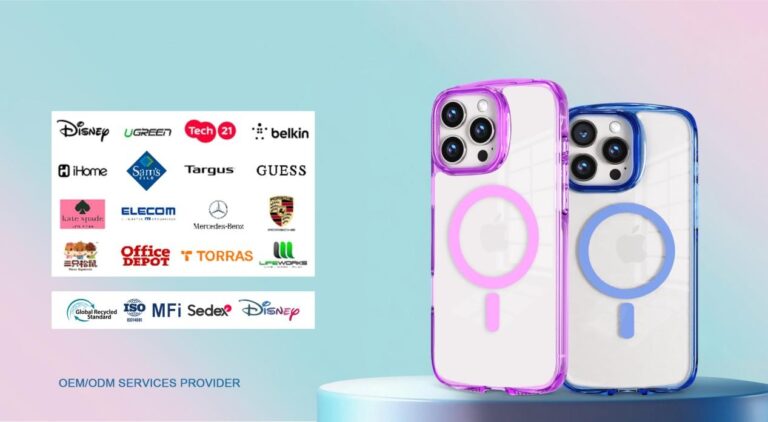
Build a phone case assortment one channel at a time. First record who buys in each channel and what that channel can actually list or shelve. Then pick only the phone models, price tiers, and features that clear those limits.
The catalogs from phone case manufacturers are useful inputs, but they are not your plan. Before you add any SKU, check that the supplier’s ordering terms match the demand you can support.
Start With Each Channel’s Buyer and Selling Constraints
Give each channel its own row before choosing cases, separating buyer demand from what the channel can physically or technically support. NIQ’s general retail assortment guidance treats shopper behavior and buying patterns as inputs for shopper-centric assortments and recommends aligning online and in-store assortment decisions.
Because that is general retail guidance rather than phone-case category data, evaluate your options by reviewing sales records, channel feedback, or visiting our official store for manufacturing specifications before filling in each row.
| Channel | Record first | What it changes |
|---|---|---|
| Online marketplace | Marketplace sales, reviews, that marketplace’s category rules | Which items are eligible to list |
| Retailer-owned ecommerce | Your site’s sales, customer feedback, content and fulfillment limits | How broad a range you can present and support |
| Physical retail | Store sales, available shelf space, store operations | Which online items earn a spot on the shelf |
Marketplace rules work like a gate. Take Amazon as one example. Amazon’s accessory listing policy for the Cell Phones & Accessories category requires new accessories to be listed with the manufacturer’s UPC. It also requires accurate classification, clearly written listing content, and images that meet its image standards. Buyers must be able to finish the whole purchase on Amazon, and custom listings that need seller contact are not allowed. A made-to-order case that needs buyer messages fails that screen on Amazon. These rules belong to Amazon only, so check each marketplace’s current rules separately.
Stores bring a different limit. NIQ notes that shelf space and store operations now also cover inventory and online-order fulfillment, not just in-store shopping. Count that shared space before you move an online range onto the shelf.

Choose Phone Models, Price Tiers, and Features From Channel Evidence
Run every proposed case through the same order: confirm exact fit, check demand in that channel, test the price against your costs, and then decide whether its features earn a place.

Prioritize Supported Phone Models
Start by confirming exact phone-model fit with the supplier for each case. Fit is a requirement, but it doesn’t show that anyone wants the case. Once fit is confirmed, rank models by sales, customer feedback, and other demand signals from that specific channel. A model that sells well in your store may not lead on a marketplace, so keep a separate rank for each channel. Use your own data for this. No universal list of winning models applies to every retailer.
Set Price Bands Against Channel Economics
Price tiers are your own planning choice. Collect the price points you actually see in each channel, then compare them with your landed cost, meaning the total cost once the product reaches you, and with your margin floor. If a tier can’t cover landed cost at the prices that channel supports, drop it there, even if it works somewhere else. Write your tiers as dollar ranges based on these numbers, not on a template.
Keep Features That Have a Clear Channel Role
Keep a feature only when buyer signals point to it and the channel can show its value. On a listing, that means images and bullet points can explain it. On a shelf, it means the packaging and display can. If a feature needs a long explanation that the channel can’t give, it probably belongs in a channel with more room, or it doesn’t belong at all.
Decide What to Share and What to Keep Channel-Specific
A shared core is something to test, not a default. Share an item only when it passes the buyer screen and the selling screen in every channel where it will be sold. This is a planning rule, not a proven performance advantage.
| Decision | When it applies |
|---|---|
| Share across channels | Same buyer need, same exact product details and model fit, passes each channel’s listing or shelf rules |
| Keep channel-specific | Demand differs, or a real listing, shelf, or operating limit blocks it in one channel |
Back every “keep channel-specific” call with something you can see, such as a sales gap, a rule the item fails, or a lack of shelf space. A different signal is a reason to try a tailored option. It doesn’t prove the tailored option will sell better, so watch its results separately.
Check Supplier Minimums Before Adding a SKU
Add a SKU only when the supplier’s minimum order commitment matches the channel demand you can realistically support. Shopify’s general wholesale supplier checks suggest verifying demand through sales data and customer feedback before ordering.
Use those guidelines to evaluate product fit, lead times, storage space, and order minimums by variant or case pack. Treat these checks as discovery questions rather than standardized supplier terms.
-
Ask what the minimum applies to: each product, each variant or color, the total order, or a fixed case pack. If case packs are fixed, ask how many units each one holds and which assortment it must contain.
-
Get reorder lead times and opening-order terms in writing.
-
Compare that buying unit with planned demand for the same item across all channels added together, not with a loose total across unrelated cases.
-
Add up the landed cost and storage space the minimum would tie up.
-
If the commitment is larger than your supported demand, ask about samples, a smaller trial, mix-and-match packs, or another way to source it before you add the SKU. Don’t assume any of these options exist.
Next step: fill in the channel table for your current range. Then run one proposed SKU through these five checks before you approve it.
FAQs
Should I use a supplier’s full catalog as my starting range?
Use it as a menu, not a plan. Being in a catalog only shows that a case can be made or bought. It says nothing about whether your buyers want it or whether a channel can list or shelve it.
Does Amazon’s accessory policy apply to my own website?
No. Those requirements cover Amazon’s Cell Phones & Accessories category. On your own site, the limits come from your platform, your product content, and how you run fulfillment.
How many SKUs should each channel carry?
No universal number fits every retailer. Let the count come from the items that pass each channel’s screens and supplier terms you can actually meet, and adjust it as your sales data changes.
Can one case pack cover demand in several channels?
It can when the same exact item passes the screen in each of those channels. Add up the planned demand across them and compare it with the pack size and the storage space it needs.