
If a phone case quote leaves a cost or assumption unclear, don’t read the blank as “free.” Send the supplier the exact line and ask, in writing, whether it is included, excluded, or provisional, along with the price or condition behind that answer. Then compare revised quotes on one shared baseline and keep any priced alternatives separate.
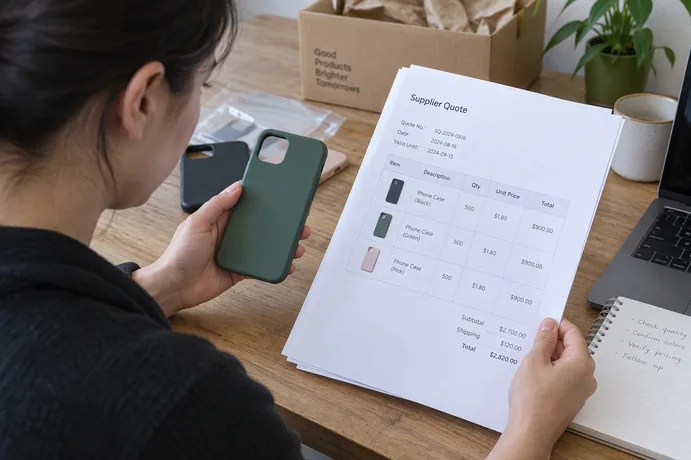
This order matters because a low headline total can come from a narrower scope. Fix the open lines first. After that, the totals will mean the same thing from one supplier to the next.
Start With the Unclear Line
Look at the line item first, not the total. A blank or vague entry is still unknown, and general manufacturing guidance reminds buyers that a blank quote field is not zero. Two offers aren’t equivalent on a point that one supplier hasn’t confirmed.
Before you write, figure out what kind of gap you have. Sometimes the cost is unstated. For example, you can’t tell whether retail packaging is part of the unit price. Other times the underlying assumption is open, such as which case specification, quantity, or packaging revision the supplier priced. If you name the type of gap, the supplier is more likely to answer the question you actually asked.
Keep the request short and tie it to a specific document. A reusable version could read:
“Re: Quote #[number], revision [date/version]. For the line ‘[item]’, please confirm whether it is included, excluded, or provisional. If excluded, please give a separate price. If provisional, please state the condition or detail it depends on. Please also confirm the specification and quantity this line assumes.”
Ask for the reply in the same written format each time. RFQ guidance recommends requesting itemized prices, additional charges, and exceptions and using a reference number and version so every response covers the same document. You don’t need a particular supplier form to do this. What matters is that every answer is written down and linked to the right quote revision.
Mark the Status and Assign the Next Confirmation
Once a reply comes in, give every affected line a status and an owner. The three labels below are a simple tracking method you keep on your side. They are not a standard format that suppliers use.
- Included: The supplier confirms the item is inside the quoted price for the stated scope.
- Excluded: The item is outside the quoted scope. If you need it, ask for a separate price.
- Provisional: The item depends on a condition that isn’t settled yet, so its price or scope isn’t final.

For each provisional or unanswered line, record these details in your comparison sheet:
- Line item and the quote revision it belongs to
- Status (included, excluded, or provisional)
- The open condition or missing detail, such as an unconfirmed spec or quantity
- The price, or what the price still depends on
- The next confirmer, meaning the buyer or the supplier
- The date you sent the request and the date you got the answer
Naming a next confirmer is a practical choice that stops items from stalling. It doesn’t settle who carries a cost under the contract. Some open items wait on you, like a checklist or artwork file you still owe the supplier. Others wait on the supplier. Keep a line visibly open until someone confirms it in writing. That way your comparison never treats an unanswered item as resolved.
Compare Revised Quotes on One Shared Baseline
After revisions arrive, compare only what matches. General manufacturing guidance recommends that buyers normalize quotes on the same quantity, cost, and delivery basis, record deviations next to the line item, and keep recurring unit costs separate from one-time charges. For phone case quotes, that turns into this checklist:
- Same case and spec revision: Every quote should price the same phone model, material, finish, and specification version.
- Same quantity basis: Compare at the same order quantity or quoted tier.
- Same unit and currency: Don’t mix per-case prices with order totals. If you convert currency, write down the rate you used.
- Same cost scope: Check packaging, inspection, samples, tooling, and other lines for their included, excluded, or provisional status.
- One-time vs. recurring costs: List tooling, molds, setup, and sampling separately from the per-case price so you can see which differences hit every unit.
- Same delivery term and named place: Confirm the Incoterms rule, its version, and the exact delivery point.
- Open items shown: Leave unanswered lines and supplier deviations flagged next to each quote.
The freight label alone doesn’t tell you the full delivery scope. In the ICC Academy’s explanation of Incoterms® 2020, the seller under DDP handles transport and export and import formalities to the named destination. Even so, DDP may leave unloading costs with the buyer if unloading isn’t part of the seller’s transport contract. The same source warns that a vague named place, such as a city with no street address, lets the seller pick the delivery point. If one quote says EXW and another says DDP, they are not the same offer. Clarify the terms before you compare totals.
Keep priced alternatives in their own column. Examples include an upgraded box or a pre-shipment sample. Don’t fold them into the baseline total or quietly drop them. You can still compare base totals fairly and see what each option adds.
Some differences can’t be normalized away, such as a supplier quoting a substitute material. Write the deviation down rather than calling the two quotes equivalent.
Example: Keep Three Quote Lines Visible
The table below is a hypothetical example and is not based on a real supplier quote. It uses three lines that general manufacturing guidance lists among charges that are not always stated clearly in a quotation: packaging, sampling, and inspection. These are common examples, not a complete list for phone case orders.
| Line item | Status | Open condition or price | Next confirmer |
|---|---|---|---|
| Retail packaging | Included | None. Covers the named package revision only | Closed |
| Pre-production sample | Excluded | Separate sample price requested | Supplier |
| Inspection | Provisional | Checklist pending; scope and price unconfirmed | Buyer, then supplier |
Each row shows what you’d do next. Packaging is closed, but only for that package revision. If you change the box, the line opens again. The sample isn’t in the total, so you’re waiting on a separate price before deciding whether you want one. Inspection needs two steps. First you send or confirm your checklist. Then the supplier confirms what it will check and what it will charge.
Once every row is either closed or clearly flagged, compare the base totals and price the alternatives separately. Your next step is to send each supplier a written clarification for every open line and log the responses. Re-run the comparison only after the revised quotes arrive.
FAQs
Should I assume a missing line means the cost is included?
No. A missing or vague line is unknown until the supplier confirms it in writing. Ask whether it is included, excluded, or provisional, and get a price if it’s excluded.
What if a supplier won’t clarify a line?
Keep the line flagged as open in your comparison and note the date you asked. Don’t treat that quote as equivalent to offers that confirmed the same item. Whether to keep waiting or move on is your call.
Do I need to resend the request to every supplier if the scope changes?
Yes. If an answer changes the specification, quantity, or delivery terms, share the updated requirements with every supplier you invited. Each revised phone case quote then prices the same scope and version.
How do I handle quotes that use different Incoterms?
Ask each supplier to confirm the rule, the version, and the exact named place. Then check what each term leaves to you, such as unloading under DDP, before you compare totals.